Maximize engagement with interactive teaching tools

Transform standard lesson plans into dynamic, interactive teaching experiences that maximize student engagement, participation, and comprehension. It's easy with interactive teaching tools.  
Getting-started-with-interactivity-thumbnail-1
 

From our customers

"The Assignment Library is exactly what we need, we are so excited about this. I absolutely love that it connects each assignment to the ISTE Standards."

Holly Landez Director of Digital Learning & Innovation at Copperas Cove ISD

"Podcasts are huge, and we see students of all ages engaging with this format, which has been fantastic for both teachers and students."

Kirsten Hood Coordinator of Campus Instructional Technology at Frisco ISD

"WeVideo has not just been a tool. It has been a bridge between traditional teaching and the kind of immersive, tech-driven learning experiences that prepare students for the future."

Reginald Parker Instructional Design Professional at ReframeED Learning Academy

"The features in WeVideo have been a hit here in DC Public Schools because they allow for all learners “students and adults“ to engage with learning in an alternative format."

DC Public Schools

3X your video’s effectiveness with interactive video lessons
Select-video-Graphic

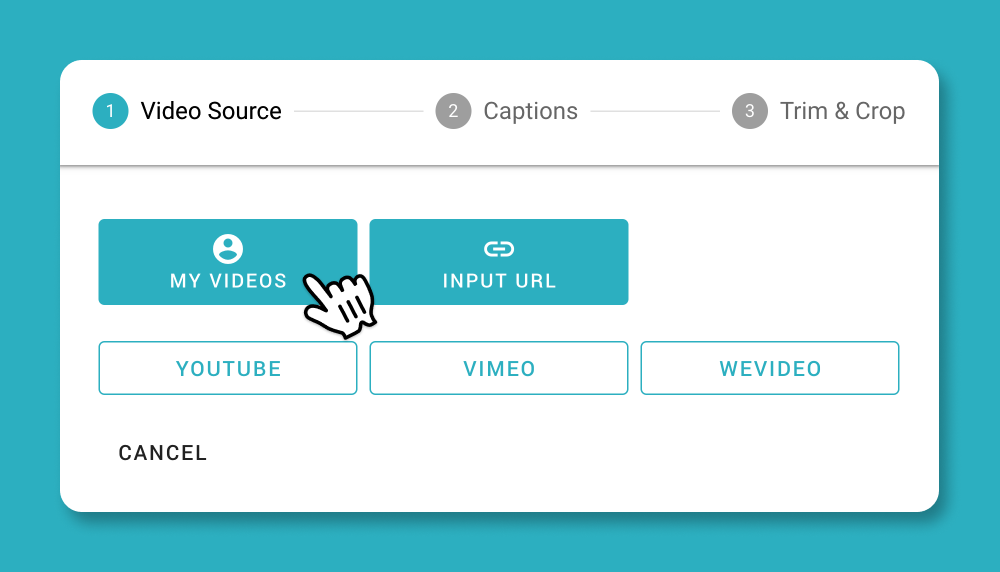
Choose your lesson video

No duplicating efforts here – you can import content from YouTube and Vimeo, or add content you've already created in WeVideo! 

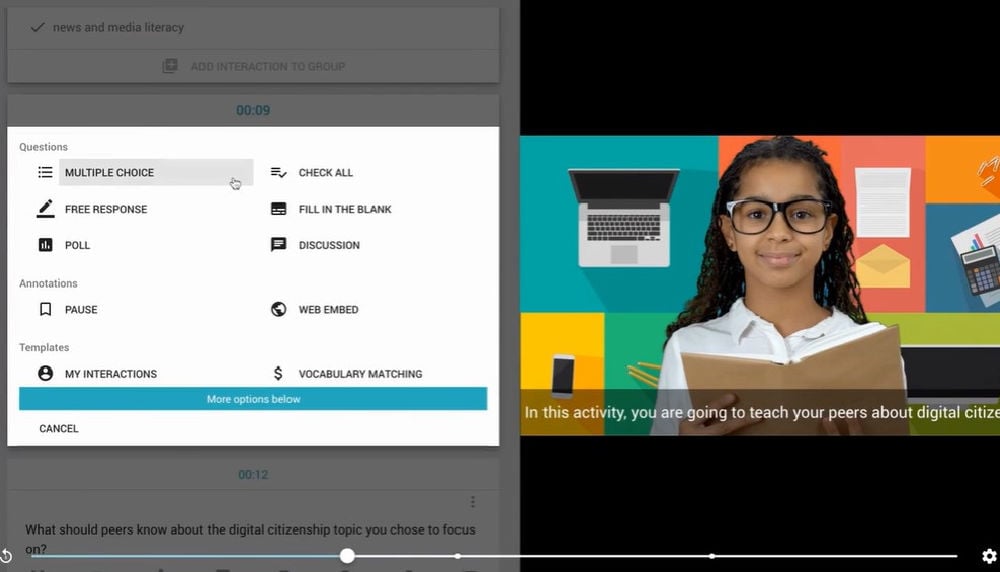
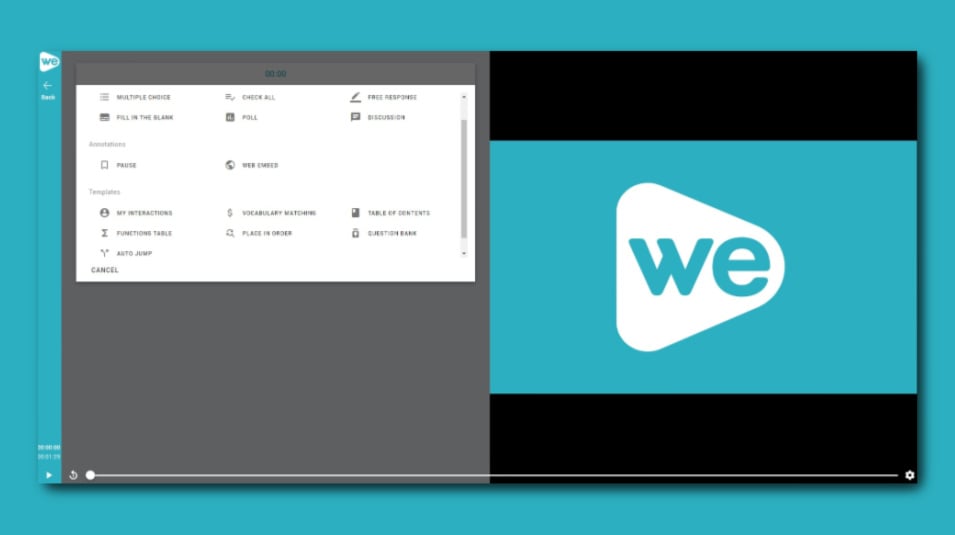
Add interactions screen in WeVideo Interactivity.

Add interactive elements

Choose from a variety of elements to add to your video to quckly check comprehension or encourage accountability. Save your favorites for repeated use. 

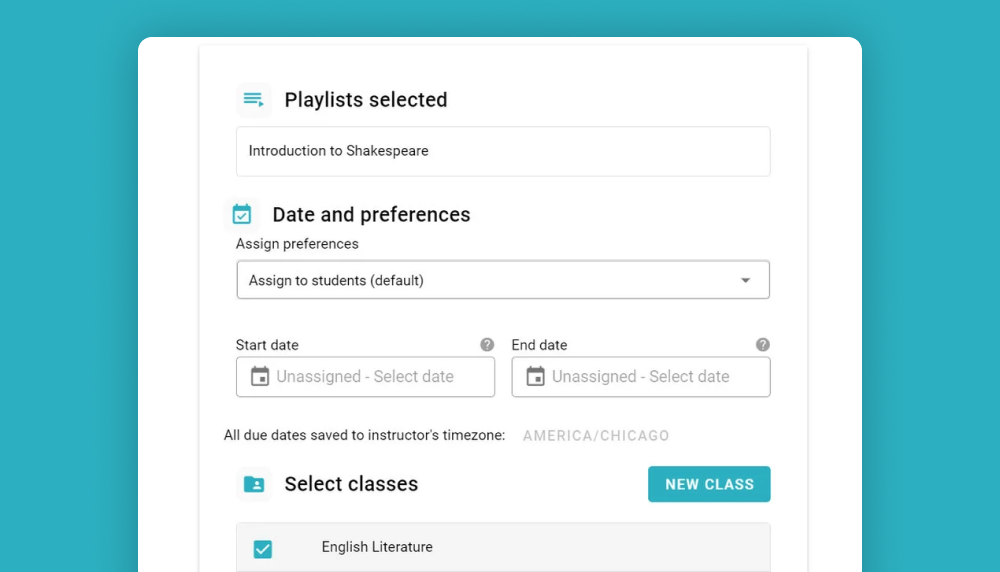
Assign to your class-Graphic

Assign lessons to students

When you're done creating your video, quickly assign it to desired WeVideo classes with just a few clicks. 

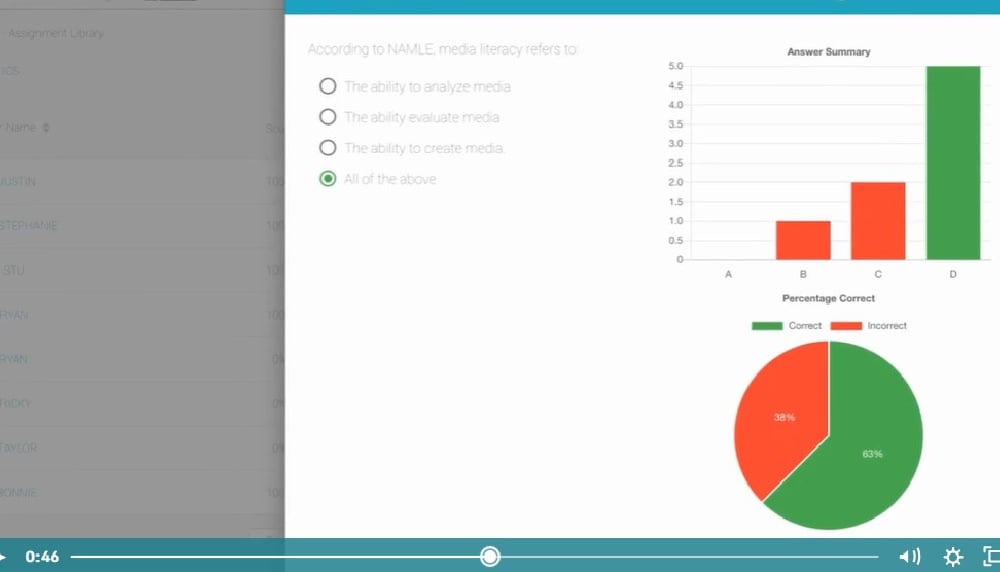
Real-time data from interactive assessment made in WeVideo.

Track student engagement in real time

As students engage, you get the results! Use real-time data to identify learner gaps and inform future instruction, and watch as students start understanding content better and better.

Create interactive video lessons in one place

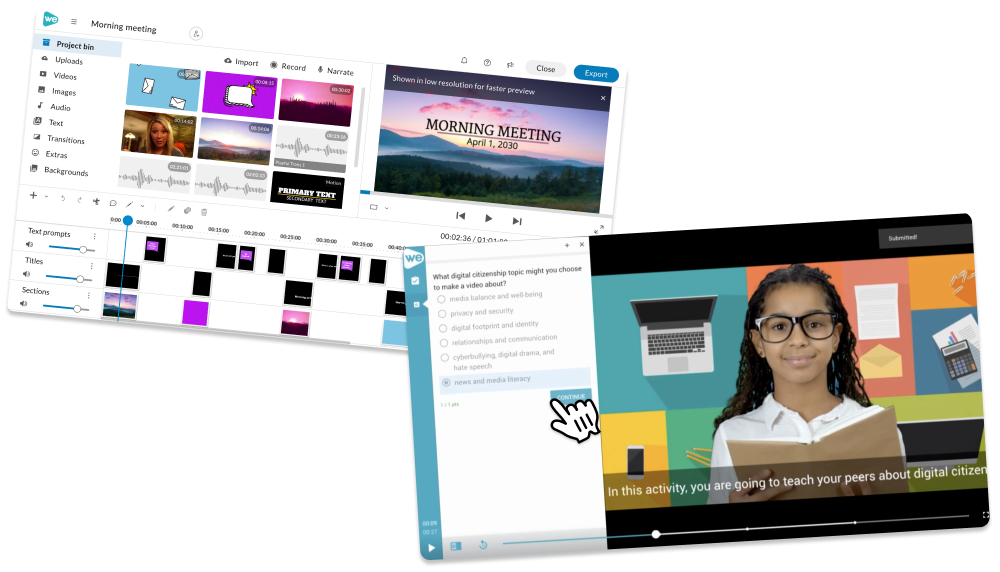
With WeVideo, you can create dynamic video content and make it more engaging without ever leaving the platform. Make content and edit it with an easy-to-use video editor. Then, assign that content to students and add questions and resources in just a few clicks.
editor-interactivity-Graphic-1

Perfect for these teaching scenarios

  • Creating multimedia projects to engage students
  • Building flipped classroom lessons (aka assigning async learning so class can consist of discussion)
  • Tailoring instruction to different student needs, such as if students are shy in class
  • Developing back-to-school onboarding and course refreshers
  • Giving opportunities for peers to provide each other feedback
  • Planning lessons for substitute teachers
  • + more!
Perfect-for-classroom-graphic

Turn video lessons into quizzes and assessments

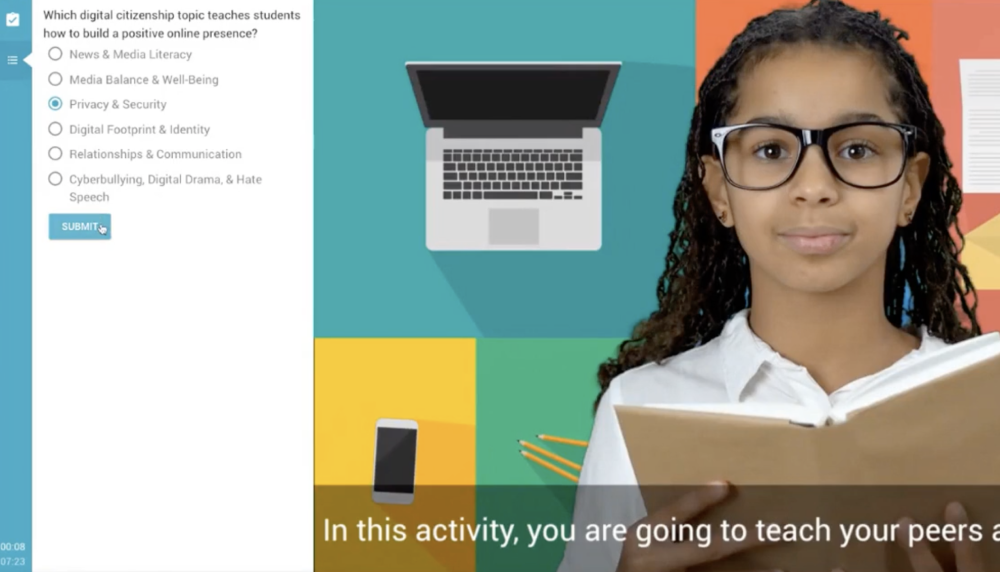
Whether formative or summative, WeVideo comes ready-made with interactive checkpoints like multiple choice, free response and discussion questions to reinforce learning. Embedding these into your videos boost student engagement, no matter the setting, and makes checking for comprehension a natural part of learning. 

Add interactions screen in WeVideo Interactivity.
 

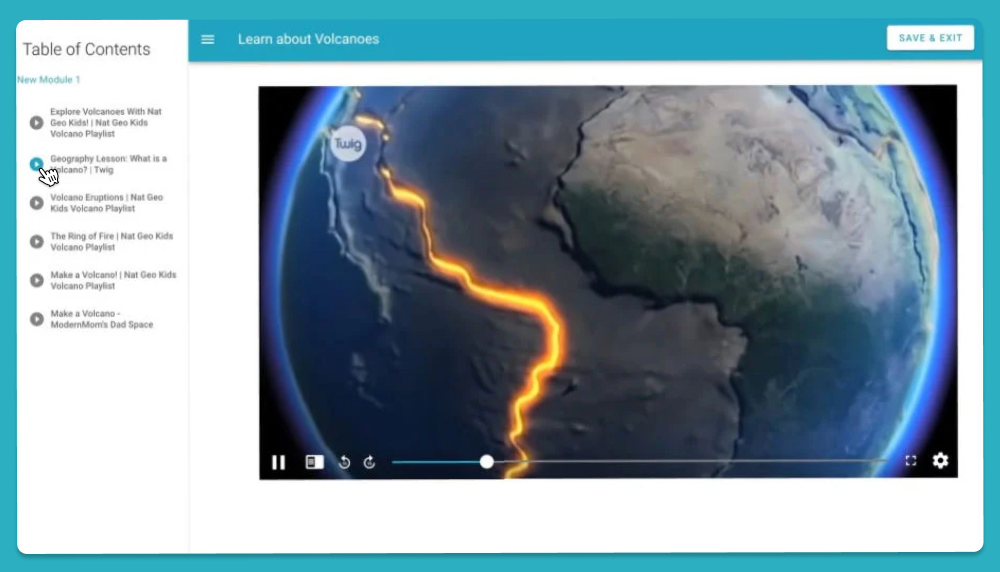
Organize video lessons with playlists

Add necessary structure to units, and guide your students throw learning multifaceted topics. Playlists make it simple for students to follow along at their own pace or in their own time.
 

Sequence-lessons-video-thumbnail
 

Turn students into instructors with interactive video

Put the power of participation in your students' hands. Turn show-what-you-know projects into experiences that give students a chance to process their thinking and understand concepts on a deeper level.
Kid-staring-at-computer

Power your instruction with interactive video