


WeVideo vs. Clipchamp
![]()

WeVideo is an easy-to-use video learning platform that puts powerful video editing, recording, collaboration, and interactivity tools into the hands of busy educators and students.
Compare WeVideo and Clipchamp

Interactive video learning platform with intuitive customization tools for the classroom, PD sessions or training, and more.

Web-based video creation tool within the Microsoft ecosystem for simplistic capabilities, excluding interactivity features and limited analytics.
WeVideo
Creativity
Clipchamp
Easily create and edit videos
Use a ready-to-go, curriculum-aligned video content library
Use a large stock library with videos, images, music, and sound FX
Gain robust, intuitive video editing
Record your screen to capture content
Transform your backgrounds with green screen effects & transitions
WeVideo
Interactive video
Clipchamp
Deliver interactive video lessons
Track analytics for each interaction and overall users
Use note-taking for instructors and students throughout the video
Customize branching scenarios for adaptive learning
WeVideo
AI Features
Clipchamp
AI-generate video scripts (Clipchamp generates AI video scripts using Microsoft Copilot only)
AI-generate interactions
Use AI text-to-speech
Enhance content with AI-assisted captions
Use AI-assisted background noise reduction
WeVideo
Synchronous learning
Clipchamp
Assign live lessons in the classroom
Facilitate real-time interactions during lessons
Create easy join access with QR codes
Engage users outside of the license with anonymous assigning
WeVideo
Playlists
Clipchamp
Create playlists with video-based content
WeVideo
Professional development tools
Clipchamp
Foster professional learning
Use custom content or premade content
Customize certificates
WeVideo
Admin, analytics, and sharing
Clipchamp
Easily organize and manage administrative dashboard
Use analytics and monitoring to track progress
Embrace school / district-level content sharing (Clipchamp is limited to OneDrive or Sharepoint)
Collaborate on content with other teachers (Clipchamp is limited to OneDrive or Sharepoint)
Experience easy LMS integrations
Share content to faculty, community, and families
Choose between WeVideo and Clipchamp

How to Teach Argument Writing with Video (Common Core)

The Flipped Classroom: Enhancing Learning in K-12 and Higher Education with Video

Interactive Video for Higher Ed: Drive Engagement and Efficiency in a 30-Minute Overview

Standards-Aligned Video Projects
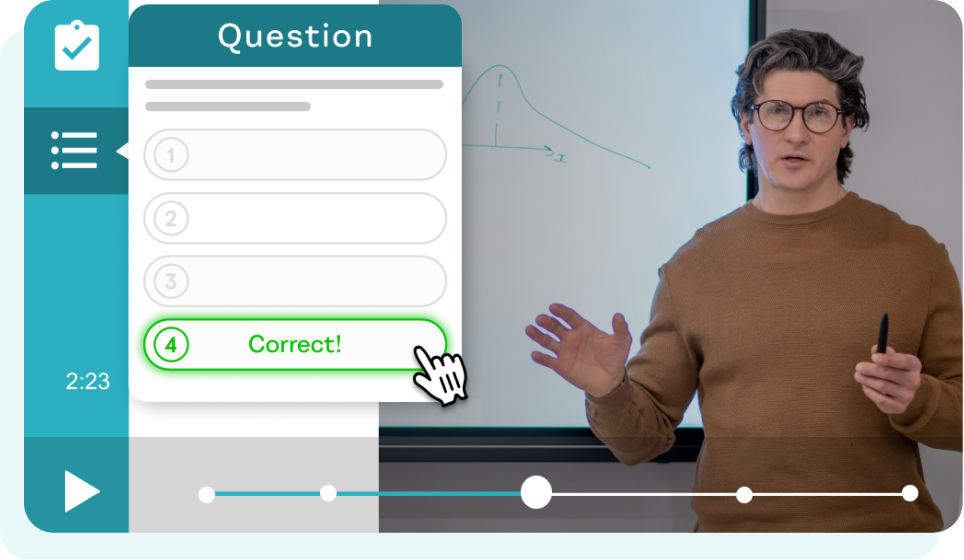
Engaging Interactive Elements
/Video%20creation/green-screen-step-1.webp)
Powerful Green Screen Editor